Personal finance, simplified
Know what's left
always.
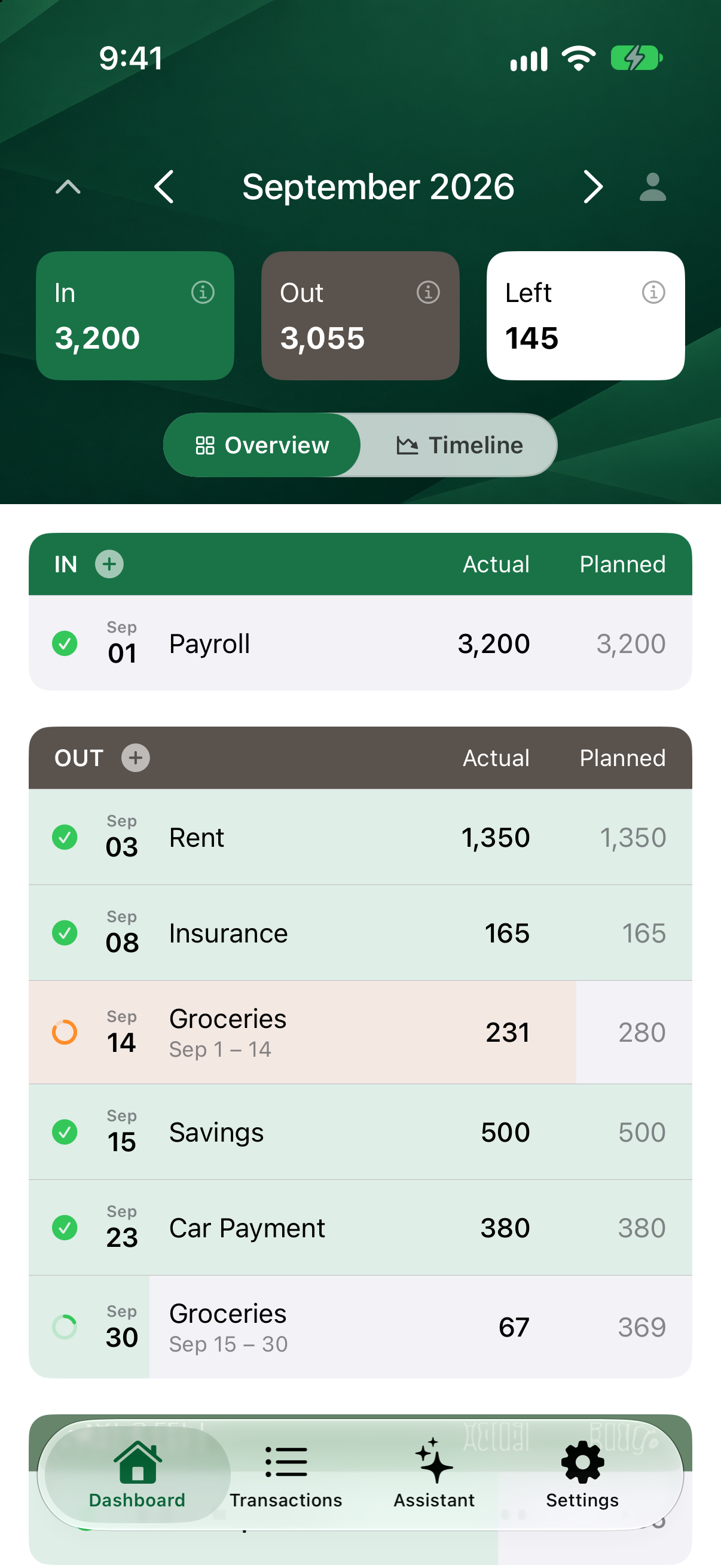
Your bank balance isn't your spending money. LazyBudget calculates income, then subtracts bills and any spending, then shows one clear number — What's Left — so you can spend without guessing.

On iPhone and Apple Watch today. Android is in closed beta — email us and we'll add you.
- No daily budget chores
- Budget with a partner
- Home screen widget
Bank connections
Secured by

Sync
Syncs across your devices
Privacy
No ads · No analytics · No data selling
Import
OFX, QFX, or CSV
Your bank balance isn't telling you the whole truth
Rent, subscriptions, and car payments don't disappear just because you forgot them. LazyBudget surfaces what's already spoken for, then shows what you can actually spend.
Set it and forget it
Watch one number — not every transaction.
Add income and bills once. LazyBudget does the math and shows What's Left — no categorizing, no nightly reconciling.
- No daily categorizing or inbox zero
- Bank sync matches bills — you just confirm
- Budgets and categories optional
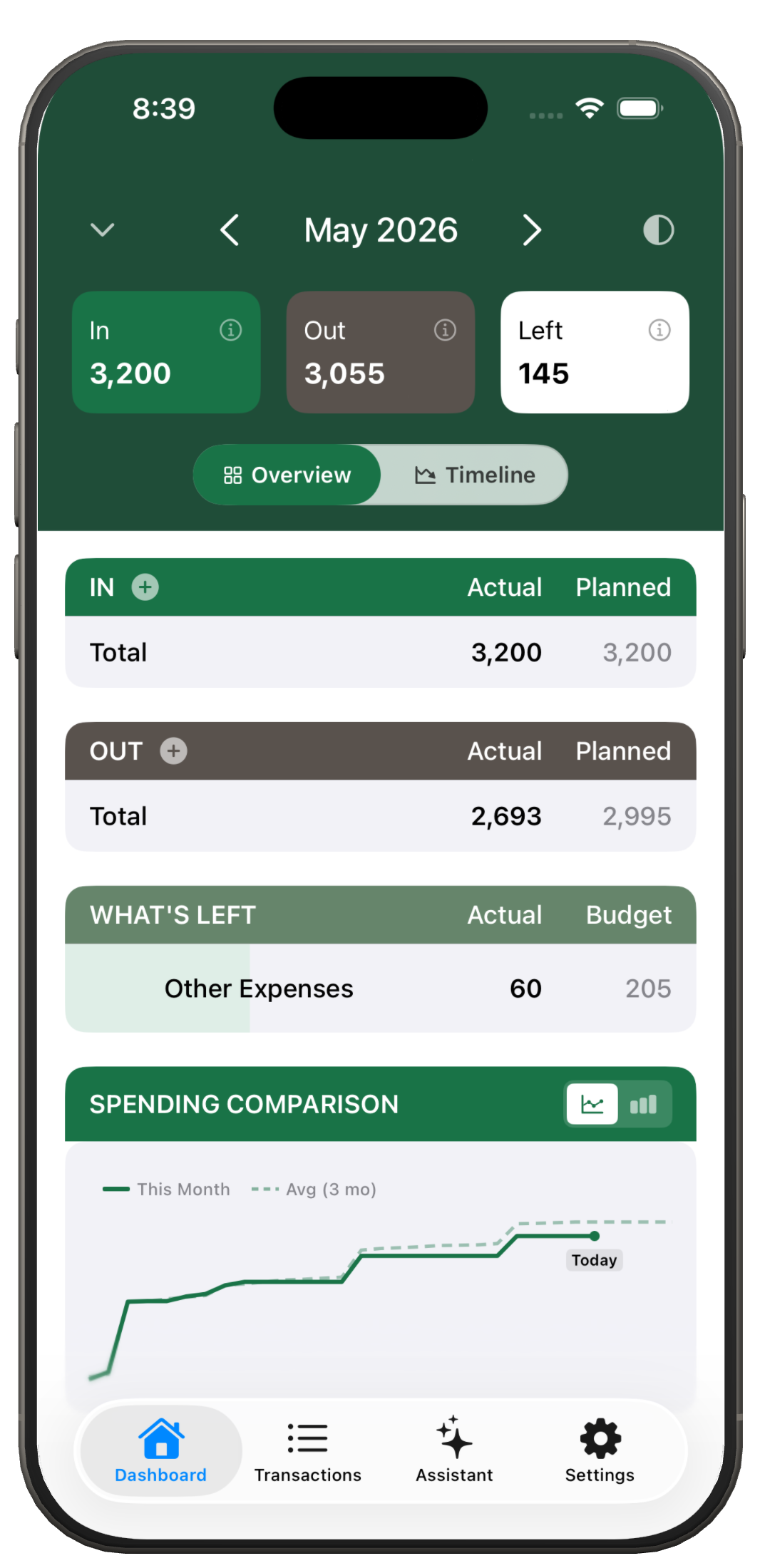
Set up your month
Your bills and paychecks, found for you.
Let AI do it, or keep it on your phone. You approve everything.
- AI by Claude, from Anthropic
- Private option never leaves your phone
- Your data never trains AI
381 transactions from your bank
How should we set up your month?
Set it up for me Laziest
Claude, by Anthropic, reads your transactions and builds your plan.
Find them privately
Stays on your phone. You'll name and check a few more things yourself.
Either way, you review everything on one screen before anything is added.
Households
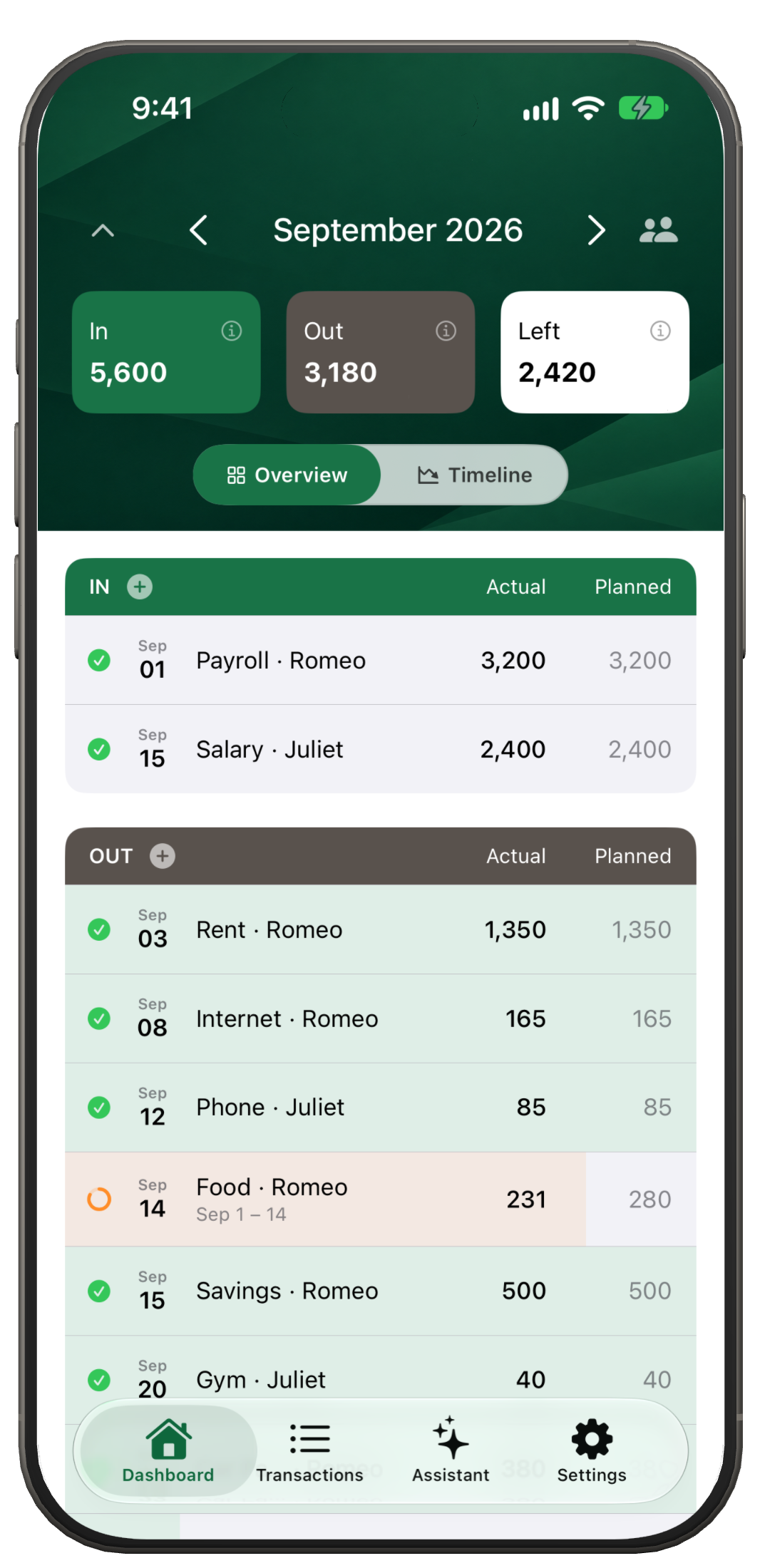
Budget together. Still know what's yours.
Share banks with your partner. Flip between Mine and Ours.
- Every bill and paycheck shows whose it is
- Shared bills split evenly or by income
- iPhone and Android
Timeline
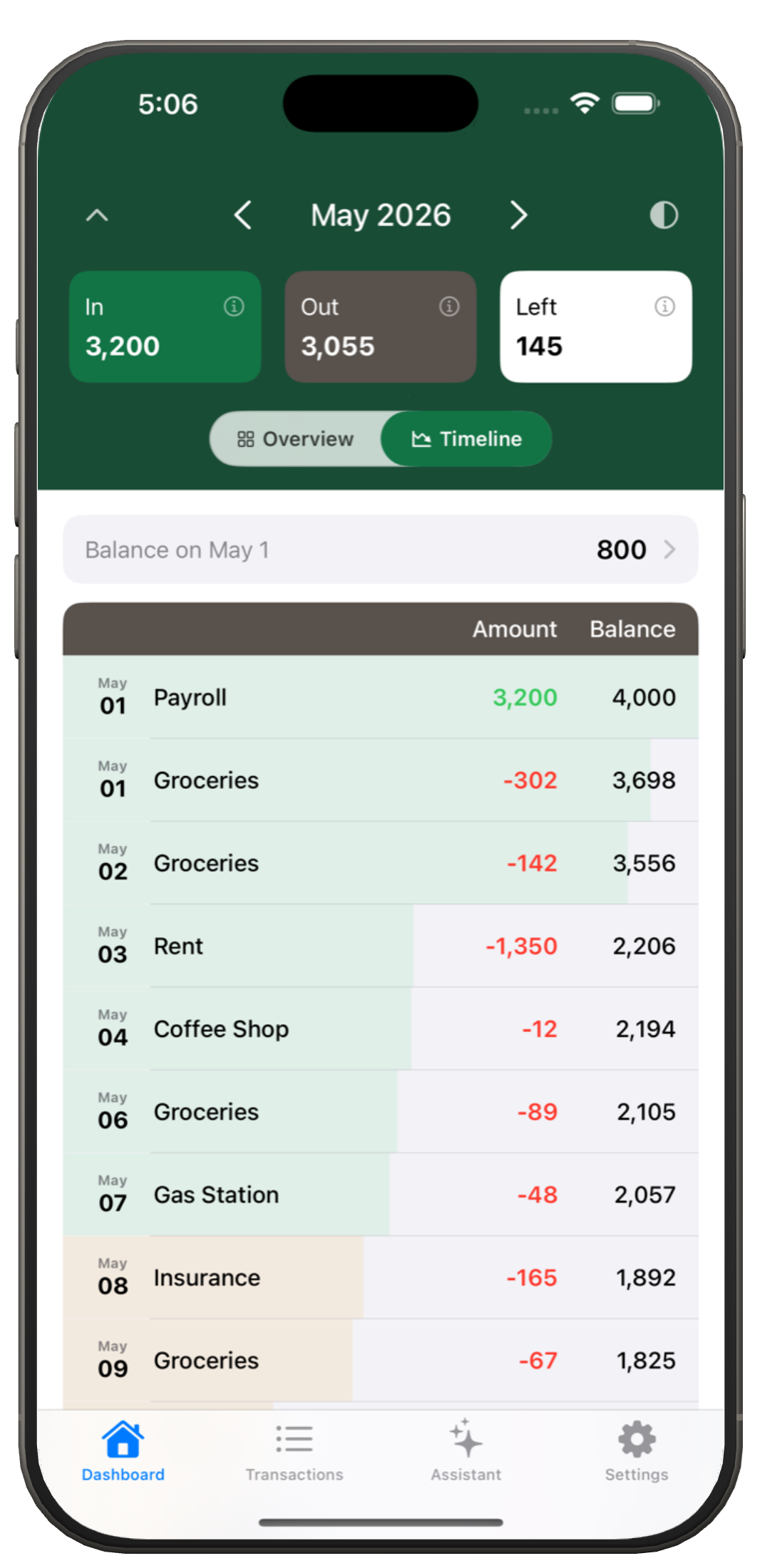
Watch your balance move through the month
Every deposit and charge in date order, with a running balance on each line. See where you'll land before payday — planned bills included for future days, actual transactions for what's already cleared.
- No mental math before a purchase
- Spot income and bills as they hit
- Understand overdraft risk before it happens
Bills & income
Bills on autopilot. Income you can trust.
Set due dates, mark payments sent, and get reminded before you're late. LazyBudget can suggest recurring bills and paychecks from your bank transactions — you confirm what to keep, so refunds and transfers don't inflate your income.
- Weekly, bi-weekly, or monthly schedules
- Match bank transactions to bills automatically
- Manual setup works too — bank connect is optional
Due date reminders
Notifications before rent, insurance, and subscriptions hit.
Mark as sent
Know what's paid vs still coming out of What's Left.
Found for you
Bills and paychecks, found for you.
Widget
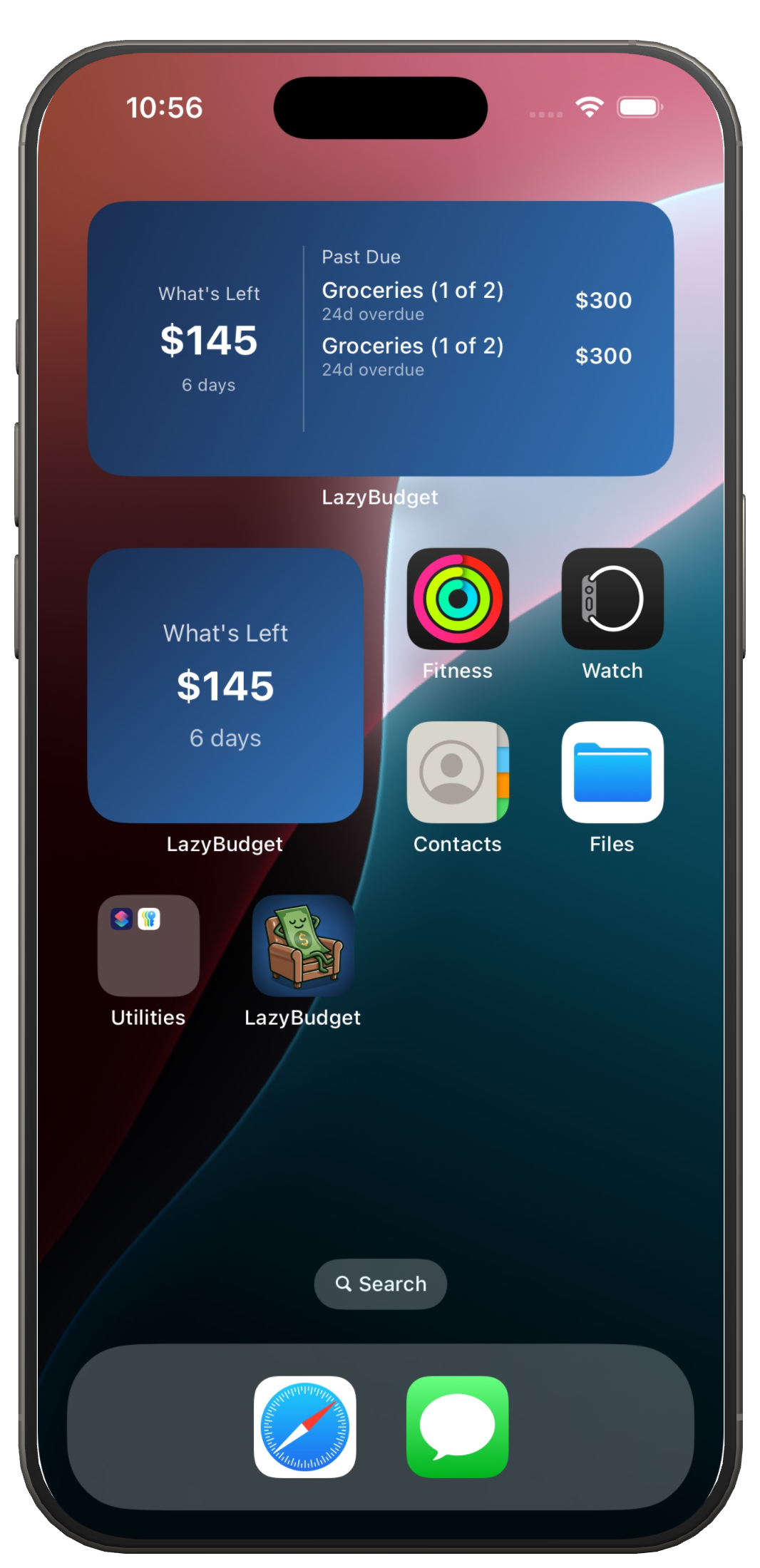
Glance at your number without opening the app
Add the LazyBudget widget to your Home Screen. Income, bills, and What's Left stay current with background refresh — same data as the dashboard, one tap away. No need to open the app every day; the number is there when you want it.
Apple Watch
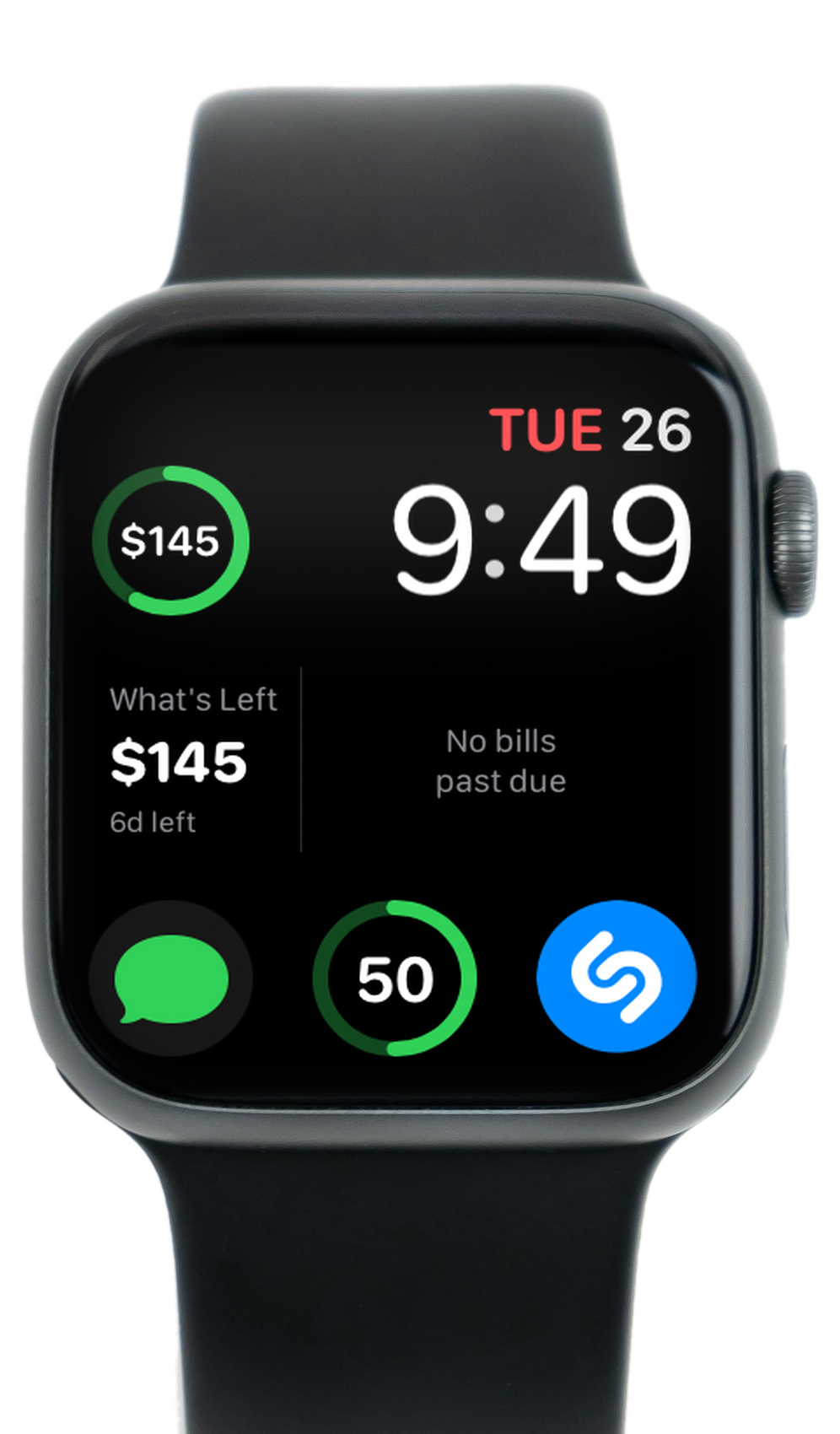
What's Left on your wrist
Add a LazyBudget complication to your watch face. See What's Left at a glance — with a color-coded ring that stays green when you're on track and shifts yellow or red as the month tightens.
- Circular, corner, and rectangular complication styles
- Same In / Out / What's Left numbers as the iPhone app
- Updates when your budget data syncs from the phone
Up and running in minutes
-
1
Connect your bank
Or import a file.
-
2
Set up your month
We find your bills and paychecks. You approve.
-
3
Watch What's Left
One number updates as money moves. Glance when you need it — no daily budget ritual.
Also included
Apple Watch
Complications show What's Left on your wrist.
File import
Bring transactions from OFX, QFX, or CSV exports.
Flexible sign-in
Apple, Google, or email and password. Your budget syncs to your account, so it follows you between devices — and between iPhone and Android.
Biometric app lock
Face ID, Touch ID, or passcode — keep your numbers private on a shared device.
Stop guessing. Start spending with a plan.
Download LazyBudget and see what's actually left — today.